Inventory Count Form Template for Excel | Stock & Order Log
Inventory Count Form Template for Excel | Stock & Order Log
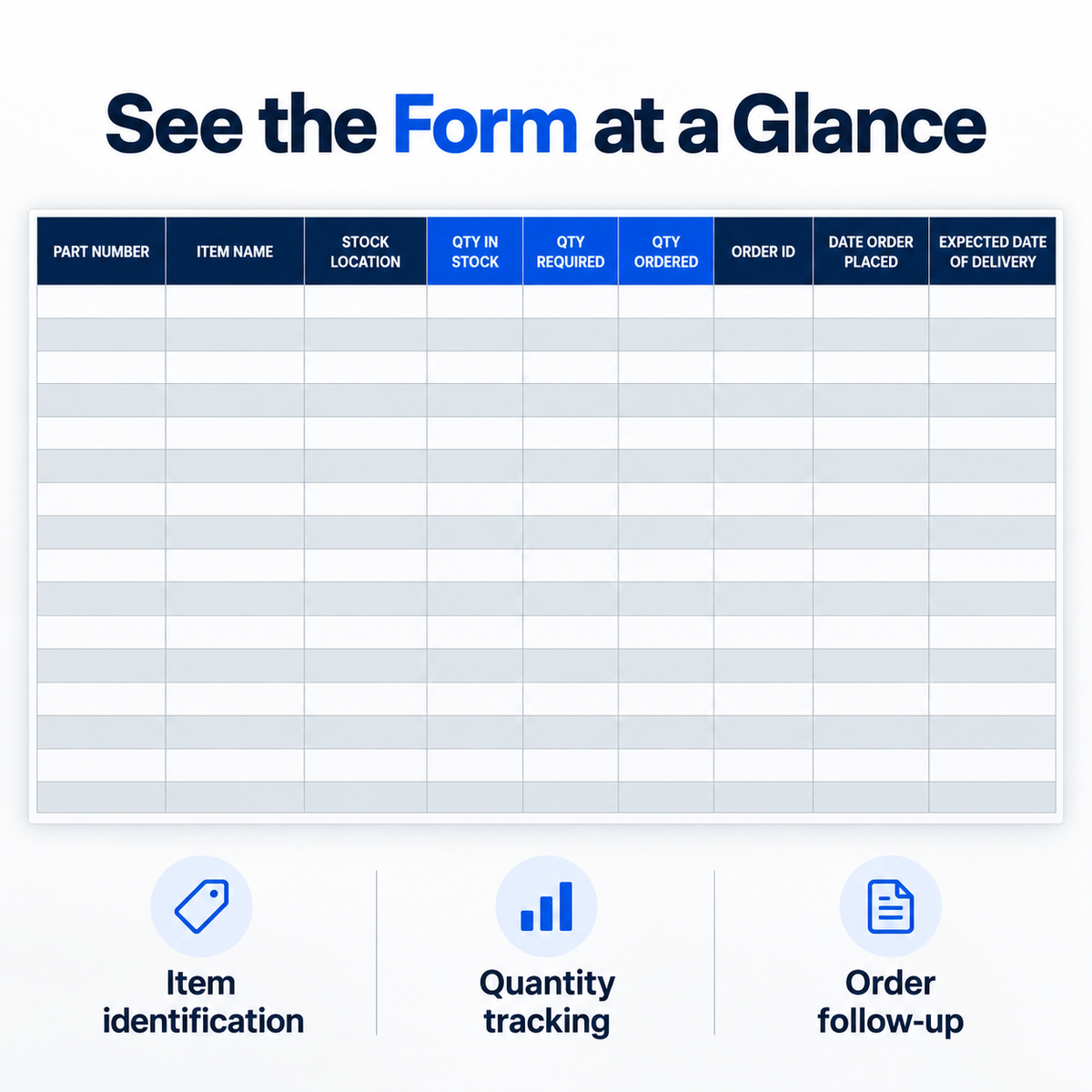
Keep stock counts and replenishment details together with this Inventory Count Form Template for Excel. The organized worksheet gives your team a consistent place to record item details, stock quantities and order dates during inventory checks.
WHAT YOU CAN RECORD
- Part number and item name
- Stock location
- Quantity in stock, quantity required and quantity ordered
- Order ID and date order placed
- Expected delivery date
WHAT'S INCLUDED
One .xlsx workbook with a formatted inventory count worksheet and a separate disclaimer worksheet. The form uses dark column headings, blue quantity columns and alternating row shading to help you follow each item across the sheet.
HOW TO USE
Open the workbook in Microsoft Excel, enter each item's details, record the quantities from your stock check, then add order references and expected delivery dates as needed. Reuse a fresh copy for your next inventory count.
Suitable for small shops, stockrooms, warehouses and teams that record inventory manually.
This is a digital Excel template. Entries and updates are manual; no built-in calculations, charts, barcode scanning or automatic stock synchronization are included. Microsoft Excel is required and is not included. No physical product is supplied.
Product features
Product features
Materials and care
Materials and care
Merchandising tips
Merchandising tips
Share