General Ledger Reconciliation Excel Template | Accounting & Bookkeeping Spreadsheet
General Ledger Reconciliation Excel Template | Accounting & Bookkeeping Spreadsheet
Simplify your reconciliation workflow with this General Ledger Reconciliation Excel Template. This reusable spreadsheet provides a structured way to organize reconciliation items, track adjustments, and review the resulting adjusted balance in one convenient worksheet.
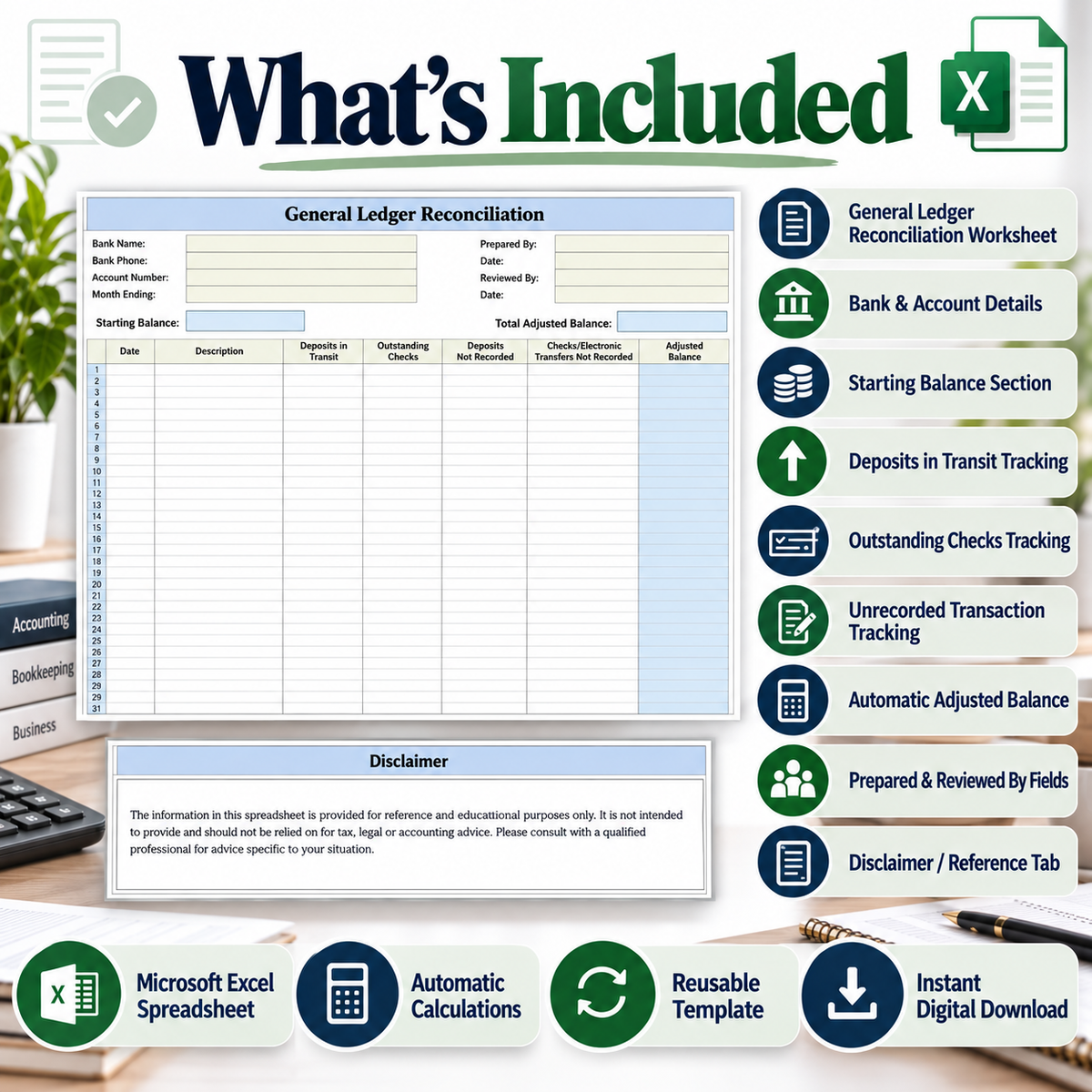
Designed for bookkeepers, accountants, small business owners and finance professionals, the template includes dedicated areas for account information, starting balance, deposits in transit, outstanding checks, unrecorded deposits, checks and electronic transfers.
Built-in calculations maintain the adjusted balance as reconciliation entries are recorded, helping create a clear and organized workflow for recurring reconciliation tasks.
What’s Included
• General Ledger Reconciliation Excel Worksheet
• Bank Name & Bank Phone Fields
• Account Number & Month Ending Fields
• Prepared By & Date Fields
• Reviewed By & Date Fields
• Starting Balance Section
• Deposits in Transit Tracking
• Outstanding Checks Tracking
• Deposits Not Recorded Tracking
• Checks / Electronic Transfers Not Recorded Tracking
• Automatic Running Adjusted Balance
• Total Adjusted Balance
• Disclaimer / Reference Tab
• Reusable Excel Spreadsheet
Key Features
Organized Reconciliation Layout
Keep important reconciliation information together in one structured worksheet.
Automatic Calculations
Built-in formulas calculate the running adjusted balance based on the information entered.
Multiple Reconciliation Categories
Record deposits in transit, outstanding checks and other applicable unrecorded transactions.
Account & Period Information
Dedicated fields make it easy to identify the applicable bank account and reconciliation period.
Prepared & Reviewed By Fields
Record preparation and review information directly within the worksheet.
Reusable Excel Format
Save separate copies and reuse the spreadsheet for future reconciliation periods.
How It Works
1. Add Account Details
Enter the applicable bank, account, month and preparation information.
2. Enter the Starting Balance
Add the starting balance for your reconciliation period.
3. Record Reconciliation Items
Enter applicable deposits, outstanding checks and unrecorded transactions.
4. Review the Adjusted Balance
Use the automatically calculated adjusted balance to review your reconciliation.
Useful For
• Small Business Owners
• Bookkeepers
• Accountants
• Finance Professionals
• Freelancers
• Entrepreneurs
• Office Administrators
• Accounting Departments
• Business Finance Organization
• Recurring Reconciliation Workflows
Why Use This Template?
✓ Professional and organized layout
✓ Built-in adjusted balance calculations
✓ Multiple reconciliation categories
✓ Easy-to-follow spreadsheet structure
✓ Reusable for recurring workflows
✓ Keeps reconciliation information together
✓ Microsoft Excel spreadsheet format
✓ Instant digital access
Digital Product
This listing is for a digital Microsoft Excel spreadsheet template.
No physical product will be shipped.
You will need compatible spreadsheet software to open and use the file. Enter your own information into the applicable fields and save separate copies for different reconciliation periods as required.
Please review the included disclaimer/reference information before use.
Instant Digital Download • Excel Spreadsheet • Reusable Template • Automatic Calculations
Product features
Product features
Materials and care
Materials and care
Merchandising tips
Merchandising tips
Share