Expense Report Excel Spreadsheet Template | Business Expense Tracker & Reimbursement Form
Expense Report Excel Spreadsheet Template | Business Expense Tracker & Reimbursement Form
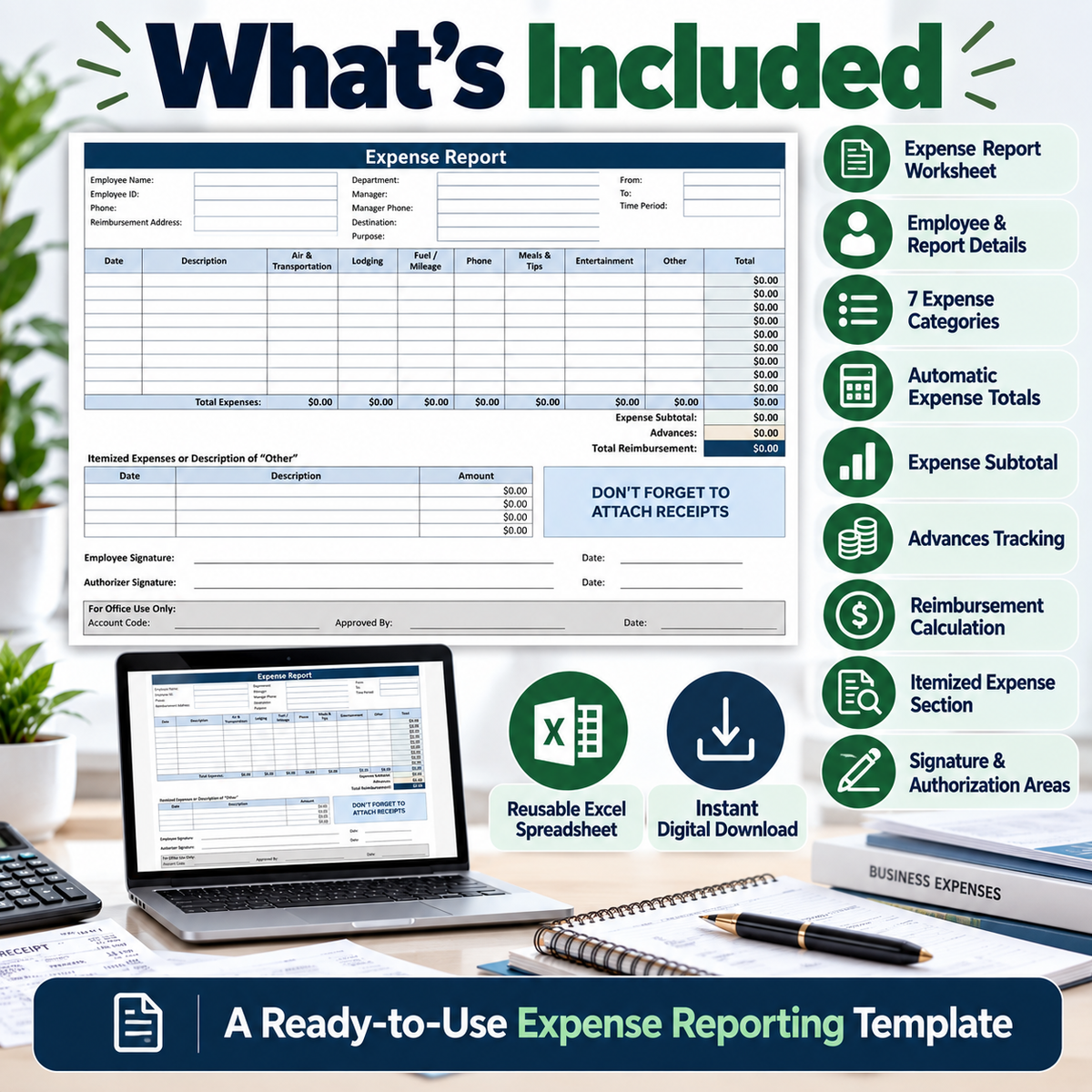
Keep business expenses organized with this professional Expense Report Excel Spreadsheet Template. Designed for recording employee and business expenses, this reusable spreadsheet provides a structured way to track expense categories, calculate totals, record advances, and review reimbursement amounts.
Simply download the file, open it in Microsoft Excel, enter your information and expenses, and review the calculated totals.
WHAT’S INCLUDED
• Expense Report Excel Spreadsheet
• Employee information section
• Department and manager details
• Destination and purpose fields
• Reporting period fields
• Date and expense description columns
• Air & Transportation category
• Lodging category
• Fuel / Mileage category
• Phone category
• Meals & Tips category
• Entertainment category
• Other expense category
• Automatic row expense totals
• Automatic category totals
• Expense subtotal calculation
• Advances field
• Total reimbursement calculation
• Itemized expenses / “Other” description section
• Receipt reminder
• Employee signature section
• Authorizer signature section
• Office-use section
KEY FEATURES & BENEFITS
Organized Expense Tracking
Keep business and employee expense information together in one structured worksheet.
Multiple Expense Categories
Record common business expenses including transportation, lodging, mileage, phone, meals, entertainment, and other costs.
Automatic Calculations
Built-in formulas calculate individual expense totals, category totals, expense subtotal, and reimbursement information.
Advances & Reimbursements
Record advances and use the calculated reimbursement section to review the remaining amount.
Employee & Trip Information
Keep employee, department, manager, destination, purpose, and reporting-period information with the expense report.
Itemized Expense Details
Use the additional itemized section to provide more information about expenses when needed.
Approval Sections
Dedicated employee and authorizer signature areas support an organized expense-reporting workflow.
Reusable Excel Template
Save a fresh copy and reuse the spreadsheet for future expense reports.
PERFECT FOR
• Small business owners
• Employees
• Freelancers
• Bookkeepers
• Office administrators
• Consultants
• Business teams
• Employee expense reports
• Travel expense records
• Business reimbursement tracking
• General expense management
HOW IT WORKS
- Download the Excel spreadsheet.
- Open the template in Microsoft Excel.
- Enter employee and report details.
- Record individual expenses.
- Review the automatically calculated totals.
- Enter any applicable advance.
- Review the reimbursement amount.
- Add supporting itemized information where needed.
- Complete the appropriate signature and authorization sections.
DIGITAL DOWNLOAD
This product is a digital Excel spreadsheet template. No physical item will be shipped.
You can save a new copy of the spreadsheet whenever you need to prepare another expense report.
SOFTWARE
Designed for use with Microsoft Excel. Compatibility, calculations, and appearance may vary when opened in other spreadsheet applications.
PLEASE NOTE
This template is intended as an organizational business tool. Buyers should review the spreadsheet and adapt their expense-reporting process to their own business, accounting, reimbursement, and record-keeping requirements.
Digital Download • Microsoft Excel Spreadsheet • Reusable Template • Automatic Calculations
Product features
Product features
Materials and care
Materials and care
Merchandising tips
Merchandising tips
Share