Credit Card Reconciliation Excel Template | Business Expense Tracker & Reconciliation Spreadsheet
Credit Card Reconciliation Excel Template | Business Expense Tracker & Reconciliation Spreadsheet
Simplify your business credit card reconciliation process with this Credit Card Reconciliation Excel Template. Designed to keep transaction details, expense categories, balances and reconciliation information together in one organized spreadsheet, this reusable template provides a practical way to manage business credit card records.
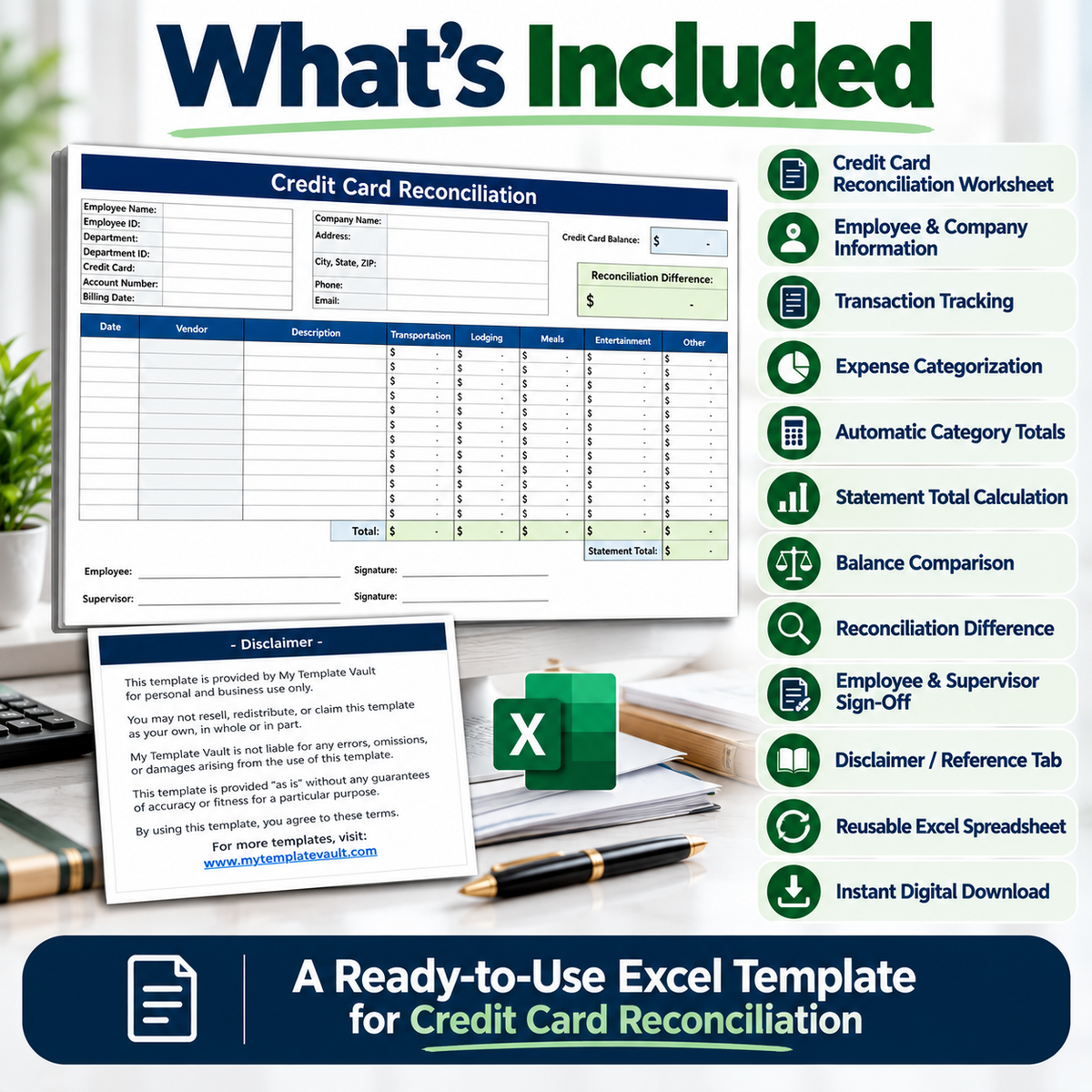
Record individual transactions by date, vendor and description, then organize expenses across the included categories. Built-in calculations help total categorized expenses and provide a statement total for comparison against the credit card balance.
The reconciliation section makes it easy to review the difference between the recorded statement total and credit card balance, helping you identify whether the figures reconcile.
What’s Included
- Credit Card Reconciliation Excel Worksheet
- Employee Information Section
- Company Information Section
- Credit Card & Billing Information
- Transaction Date Tracking
- Vendor Tracking
- Transaction Description
- Transportation Expense Category
- Lodging Expense Category
- Meals Expense Category
- Entertainment Expense Category
- Other Expense Category
- Automatic Category Totals
- Statement Total Calculation
- Credit Card Balance Comparison
- Reconciliation Difference
- Employee & Supervisor Sign-Off Fields
- Disclaimer / Reference Tab
How It Works
1. Add Your Details
Enter the relevant employee, company, credit card and billing information.
2. Record Transactions
Enter each transaction's date, vendor and description.
3. Categorize Expenses
Record transaction amounts under the appropriate expense categories.
4. Review Totals
Use the calculated category totals and overall statement total to review recorded spending.
5. Reconcile the Balance
Enter the credit card balance and review the reconciliation difference.
Perfect For
This spreadsheet can be useful for:
- Small Business Owners
- Bookkeepers
- Accountants
- Finance Teams
- Office Managers
- Expense Administrators
- Businesses Tracking Employee Card Expenses
- Internal Financial Record Keeping
Key Benefits
Organized Transaction Tracking – Keep important transaction information together in one worksheet.
Expense Categorization – Organize business spending into transportation, lodging, meals, entertainment and other expenses.
Automatic Calculations – Built-in formulas calculate category totals and the statement total.
Reconciliation Review – Compare the credit card balance against recorded expenses and review the resulting difference.
Reusable Format – Use the spreadsheet again for future reconciliation periods.
Professional Record Keeping – Employee, company and approval information can be maintained alongside transaction records.
Digital Product
This is a digital Excel spreadsheet template. No physical product will be shipped.
After purchase, download the file, open it in Microsoft Excel, enter your information and begin tracking your credit card reconciliation.
Please Note
This template is intended as an organizational and record-keeping tool. Buyers should review their entries and calculations for their own business, accounting and record-keeping requirements.
Product features
Product features
Materials and care
Materials and care
Merchandising tips
Merchandising tips
Share